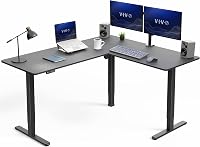
Why Does a Standing Desk Wobble?
A standing desk usually wobbles because its feet aren't level, its frame connections are loose, or the desk moves more at standing height. Check the floor and frame first, then match the fix to the direction of the movement.
On this page (9 sections)
- Why does a standing desk wobble?
- Does the wobble change when you raise the desk?
- Is the floor making the desk rock?
- Could loose bolts or an assembly issue cause the wobble?
- What kind of wobble are you feeling?
- Does your desk's weight load affect stability?
- How can you check a standing desk safely?
- When should you replace or service a wobbly desk?
- Find the cause before choosing a standing desk wobble fix
A standing desk usually wobbles because its feet aren't level, its frame connections are loose, or the desk moves more at standing height. Check the floor and frame first, then match the fix to the direction of the movement.
A small amount of motion may be easier to notice when the top is raised. A desk that rocks on the floor, shifts during typing, or suddenly becomes less steady needs a closer check.
Why does a standing desk wobble?
A standing desk wobbles when the floor, feet, frame or extended legs let the top move. The direction and height where it happens can help you narrow down the cause.
Start by checking whether one foot lifts or rocks when the desk is still. Then look for loose connections and notice if the movement is side to side or forward and back.
Common causes include:
- An uneven floor: one foot doesn't rest flat.
- Loose frame connections: bolts or other fasteners may need attention.
- Movement at standing height: raised legs extend, making motion easier to notice.
- A loaded top: heavy items or an uneven load can affect how the desk moves.
- A frame that needs more support: some two-leg frames may move side to side.
The frame manual is the best guide to which fasteners to check and how to tighten them. If the desk is new, also check its assembly steps before changing the setup.
Does the wobble change when you raise the desk?
A desk can feel less steady at standing height because its legs extend and the top sits higher. Compare the movement at sitting height and at a height you use often.
If the desk is steady while lowered but moves more when raised, inspect the frame and leg connections. Don't lean on the desk to test it, and secure loose items before you raise or lower the top.
If movement happens at every height, check the floor and feet first. Then review the assembly and fasteners in the manual.
For a broader look at frame choices, read our guide to heavy-duty standing desks. It can help you compare desks intended for sturdier setups.
Is the floor making the desk rock?
An uneven floor can make a standing desk rock even when the frame is assembled correctly. With the desk lowered and stationary, apply light pressure at opposite corners and watch whether a foot lifts.
Check that the feet are seated as the manual describes. If one foot doesn't meet the floor, a furniture leveler or shim may help fill the gap.
Jayen Rubber Shims can be cut or stacked to suit the gap. Place a shim under the foot that doesn't sit flat, then check whether the desk rests evenly without forcing the frame.
Use a leveler or shim only where the desk maker's instructions allow it. Avoid stacking an unstable pile or using a soft object that can slide out.
Could loose bolts or an assembly issue cause the wobble?
Loose frame connections or an assembly issue can let the desk shift. Check the manual for the fasteners and joints to inspect, and tighten them as directed.
Look at the frame where the legs meet the top and at any cross supports. If a part is missing, bent or doesn't fit its place, contact the desk maker instead of forcing it into position.
If the controls also behave oddly, use our guide to standing desk problems and simple checks. For a desk that has stopped responding after a reset or power issue, see how to reset an electric standing desk.
What kind of wobble are you feeling?
The direction of movement can point to the part of the setup to check first. Observe the desk without pushing hard or placing your hands near moving parts.
Why does the standing desk wobble side to side?
Side-to-side movement can come from the floor or the frame. First check that all feet sit flat and the frame connections are secure.
VIVO says its VIVO Clamp-On Stabilizer Bar reduces side-to-side wobble on most compatible two-leg standing desks. It doesn't change forward-and-back stability.
The bar adjusts from 36 to 61.6 inches and fits support columns up to 3.2 inches thick. Check those measurements against your frame before choosing it.
Why does the desk wobble forward and back?
Forward-and-back movement may point to the feet, floor or frame connections, and the VIVO Clamp-On Stabilizer Bar won't address it. Check that the desk sits square and that its legs and top are assembled as the manual shows.
If the movement continues after those checks, ask the desk maker whether the frame needs adjustment or service. Avoid adding a support part unless it is compatible with your desk.
Does your desk's weight load affect stability?
A heavy or uneven load can change how a desk moves, especially if items sit near one edge. Check the manual for the desk's weight limit and keep the load spread across the top.
A monitor arm, computer and other equipment all add weight. Our guide to standing desk weight capacity explains how to think about the desk's rated capacity.
If the desk is near its limit, remove some weight and check whether the movement changes. Keep the desk's travel path clear while raising or lowering it, and follow any load placement guidance from the maker.
How can you check a standing desk safely?
Lower the desk and check the floor and feet first, then inspect the frame as the manual directs. Keep hands clear of moving legs and don't use your body weight to force the frame.
- Clear items that could fall from the top.
- Lower the desk and follow the manual's power-disconnection instructions before inspecting it.
- Check whether all feet rest flat, then inspect visible frame joints and fasteners.
- Tighten only as the manual directs, without opening electrical parts.
- Once the inspection is complete, reconnect power as directed and observe the desk at a normal working height.
Stop if the frame looks damaged, a fastener won't tighten, or the desk shifts sharply. Contact the maker for model-specific guidance.
When should you replace or service a wobbly desk?
Contact the desk maker if a part is bent, a connection won't stay secure, or the wobble continues after you check the floor and assembly. Stop using the desk if movement suddenly worsens, and seek guidance before operating it again.
Don't drill into the frame or add unapproved parts. Follow the manual or the maker's instructions for repairs suited to your model.
Find the cause before choosing a standing desk wobble fix
Choose a leveler or shim for a foot that doesn't sit flat, where the desk manual allows it. Consider the VIVO Clamp-On Stabilizer Bar for standing desk wobble only when the movement is side to side and the frame fits its dimensions.
If you're comparing frames for a replacement, read our guide to single-motor vs dual-motor standing desks for another factor to consider. For a wider overview of desk styles and features, visit our standing desk guides and fixes.
Frequently asked questions
Why does my standing desk wobble when raised?
A desk can feel less steady when raised because its legs extend and the work surface sits higher. Check that the feet are level and the frame bolts are tight, following the manual; a compatible frame support bar may help if the movement is side to side.
How do I stop my standing desk from wobbling?
Start by checking the floor, leveling feet and frame fasteners, then observe the desk at sitting and standing heights. Tighten loose connections according to the manual and use a suitable shim where permitted; a compatible frame bar may help with side-to-side movement on two-leg desks.
Is a little wobble in a standing desk normal?
Some movement can become more noticeable as a standing desk rises, but a new or worsening wobble deserves a check. Look for an uneven floor, loose fasteners, an overloaded or unevenly loaded top, and parts that don't sit square, then follow the manual if movement persists.
Can a stabilizer bar fix a standing desk wobble?
The VIVO Clamp-On Stabilizer Bar is designed to reduce side-to-side wobble on compatible two-leg desks. It won't change forward-and-back stability or correct an uneven floor or loose connections elsewhere, so identify the direction and source of the wobble first and check compatibility with your frame.