Can You Add Drawers to a Standing Desk?
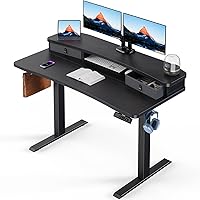
Yes, you can add a drawer to many standing desks if the tabletop is thick enough and the mounting area is clear of the frame, crossbars and other hardware. Measure underneath before choosing a standing desk drawer attachment.
On this page (9 sections)
- Can you add a drawer to a standing desk?
- What should you measure before buying a standing desk drawer attachment?
- Which under desk drawer fits your standing desk?
- Will a drawer make a standing desk unstable?
- How do you install a drawer without blocking the desk frame?
- Is an under desk drawer better than a standing desk with built-in storage?
- Can you use a drawer with a standing desk converter?
- Add a standing desk drawer only after checking fit
- Frequently asked questions
Yes, you can add a drawer to many standing desks if the top is thick enough and the mounting space is clear of the frame and crossbars. Measure the underside first, because a drawer that fits the desktop can still collide with hardware or reduce legroom.
A standing desk drawer attachment mounts beneath the desktop, so it moves with the top as you raise or lower it. Check the desktop thickness, the open area for mounting, the drawer's depth and the desk's weight capacity before you choose one.
Can you add a drawer to a standing desk?
Many standing desks can take an under desk drawer, provided the desktop and mounting area meet the drawer's requirements. For a screw-mounted drawer, confirm that the desk material and thickness are suitable.
Look underneath the desk for crossbars, support brackets, cable trays and motor parts. A clear area matters because the drawer needs room to mount and slide open without hitting hardware or your legs.
If you're weighing an add-on against built-in storage, compare standing desks with drawers to see which design better suits your needs.
What should you measure before buying a standing desk drawer attachment?
Measure desktop thickness and the clear mounting area, then compare those numbers with the drawer's requirements. Also check the drawer's width and depth against the space under your desk.
The three options here have different fit needs:
- COREMINDED requires a top at least 0.625 in thick and no front lip edge.
- Mount-It requires wood or MDF, a top at least 0.47 in thick, and a clear area 28.25 in wide by 12.5 in deep.
- VIVO requires a top at least 0.75 in thick and measures 14.8 in wide including its side brackets.
Measure where you plan to install the drawer, not just the overall desktop. A frame rail or cable tray can take up the space you thought was free.
How much clearance does a standing desk drawer attachment need?
Leave enough room for the drawer to slide open and for your knees to sit comfortably. Compare its full mounting dimensions with the desktop, frame and your usual sitting position.
Mount-It needs a clear mounting area of 28.25 in by 12.5 in. Its tray is 25.8 in wide and 1.6 in tall.
COREMINDED measures 13 in wide by 8 in deep by 2.8 in tall. VIVO measures 13.3 in wide by 8.7 in deep by 2.5 in tall, with the width increasing to 14.8 in when you include its brackets.
Which under desk drawer fits your standing desk?
Choose a drawer by its mounting requirements and the items you want to store. These three options differ in width, desktop compatibility and storage layout.
The COREMINDED Under Desk Drawer needs a tabletop at least 0.625 in thick, without a front lip edge. COREMINDED recommends a maximum contents load of 15 lb.
The Mount-It Under Desk Drawer requires a wood or MDF desktop at least 0.47 in thick. It has a steel frame and a plastic tray that lifts out for cleaning without removing the mounting hardware.
The VIVO Under Desk Drawer measures 13.3 in wide by 8.7 in deep, excluding its side brackets. Allow 14.8 in of width for the brackets, and count both the drawer and its contents toward your desk's weight limit.
Will a drawer make a standing desk unstable?
A drawer adds weight, but whether it changes stability depends on the desk, mounting position and load. Check the desk's weight limit and account for the drawer and everything inside it.
Keep the contents within the drawer's stated limit. COREMINDED recommends no more than 15 lb, while VIVO supports up to 11 lb of contents.
If your desk already shakes, address that before adding storage. See why a standing desk wobbles for common causes, and check standing desk weight capacity to understand how the desk's limit applies to your setup.
How do you install a drawer without blocking the desk frame?
Follow the drawer's instructions and choose a mounting area clear of frame parts and cables. Confirm that the desktop material and thickness suit the attachment before drilling.
Before installation, mark the drawer's position and check that it won't hit your knees or anything mounted under the desk. For a frame with limited clearance, consider a narrower drawer or another storage option.
Once installed, raise and lower the desk slowly while watching the drawer and cables. Stop if anything catches, scrapes or gets pulled tight, then resolve the interference before regular use.
Is an under desk drawer better than a standing desk with built-in storage?
An add-on drawer suits an existing desk with enough mounting space, while built-in storage is an option if you're replacing the desk. Compare the storage dimensions and knee clearance of either design before choosing.
Consider the items you plan to store and how often you need them. A compact drawer can hold everyday supplies, while wider compartments may suit larger accessories if your desk has room.
For a broader comparison, see standing desks with storage. If you're still choosing a desk, electric standing desks for a home office can help you compare desk styles.
Can you use a drawer with a standing desk converter?
A drawer may fit under the fixed desktop supporting a converter, provided the desktop meets its mounting requirements. The drawer will stay at the fixed desk's height when you raise the converter.
Check the underside for converter clamps or other mounting hardware that could block the drawer. Don't assume a converter's raised platform can take a drawer attachment without checking its instructions.
If you're choosing between a full standing desk and a converter, see standing desk vs standing desk converter. That comparison can help you decide which setup leaves enough room for the storage you want.
Add a standing desk drawer only after checking fit
Choose a standing desk drawer attachment if your desktop meets its mounting requirements and the desk has capacity for the added weight. If the frame or your knees leave little room, consider a desk with built-in storage.
Before installation, compare the full mounting dimensions with the underside of your desk and follow the included instructions. For assembly basics, see how to assemble an electric standing desk.
Frequently asked questions
Desktop thickness, mounting space and added weight determine fit. Check these requirements before choosing a drawer, then allow room for it to open and for the desk to move.
Can you add a drawer to any standing desk?
No, a drawer won't fit every standing desk, because desktop thickness, material and underside clearance vary. Compare the attachment's mounting requirements with your desk, including the space around crossbars and frame parts, and leave enough room for your legs and the drawer to open.
How thick should a standing desk top be for a drawer?
The minimum depends on the drawer: COREMINDED requires 0.625 in, Mount-It requires 0.47 in, and VIVO requires 0.75 in. Measure at the planned mounting spot and check the desktop material too, since the Mount-It drawer requires wood or MDF and COREMINDED needs a top without a front lip edge.
Will an under desk drawer affect standing desk stability?
A drawer adds weight, but its effect on stability depends on the desk, mounting position and load. Count the drawer and its contents toward the desk's weight limit, stay within the drawer's capacity, and check that its hardware leaves the frame and moving parts clear.
Where should you mount a drawer on a standing desk?
Mount it in a flat, clear area under the desktop, away from crossbars, frame parts, cables and your knees. Follow the drawer's mounting instructions, allow room for it to open, and check clearance as you carefully raise and lower the desk through its full travel.
Frequently asked questions
Can you add a drawer to any standing desk?
No, a drawer won't fit every standing desk, because desktop thickness, material and underside clearance vary. Compare the attachment's mounting requirements with your desk, including the space around crossbars and frame parts, and leave enough room for your legs and the drawer to open.
How thick should a standing desk top be for a drawer?
The minimum depends on the drawer: COREMINDED requires 0.625 in, Mount-It requires 0.47 in, and VIVO requires 0.75 in. Measure at the planned mounting spot and check the desktop material too, since the Mount-It drawer requires wood or MDF and COREMINDED needs a top without a front lip edge.
Will an under desk drawer affect standing desk stability?
A drawer adds weight, but its effect on stability depends on the desk, mounting position and load. Count the drawer and its contents toward the desk's weight limit, stay within the drawer's capacity, and check that its hardware leaves the frame and moving parts clear.
Where should you mount a drawer on a standing desk?
Mount it in a flat, clear area under the desktop, away from crossbars, frame parts, cables and your knees. Follow the drawer's mounting instructions, allow room for it to open, and check clearance as you carefully raise and lower the desk through its full travel.